
Ollama · 7 min read
Use Ollama with Fyslide (free and local)
Run an AI model on your own computer with Ollama: nothing leaves your computer. Which models to pull, and when you need a vision model.
Ollama runs open AI models on your computer. With it, Fyslide’s text and picture requests never leave your computer.
What it is and who it suits
Choose Ollama if you want zero cost, full privacy or offline use. The trade-off is speed and quality: they depend on your computer and on the model you pick. Apple Silicon Macs with plenty of memory work best.
Install Ollama and pull models
- Install Ollama from ollama.com/download (the macOS download opens as an app), or in Terminal:
curl -fsSL https://ollama.com/install.sh | sh. - Start the Ollama app so its server runs on
http://127.0.0.1:11434. - Pull a text model and a vision model:
ollama pull llama3.1        # writes slide texts
ollama pull qwen2.5vl:7b    # reads pictures (vision)
Those two are Fyslide’s defaults. Any other model from the Ollama library works too; pick it in Settings.
Set it up in Fyslide
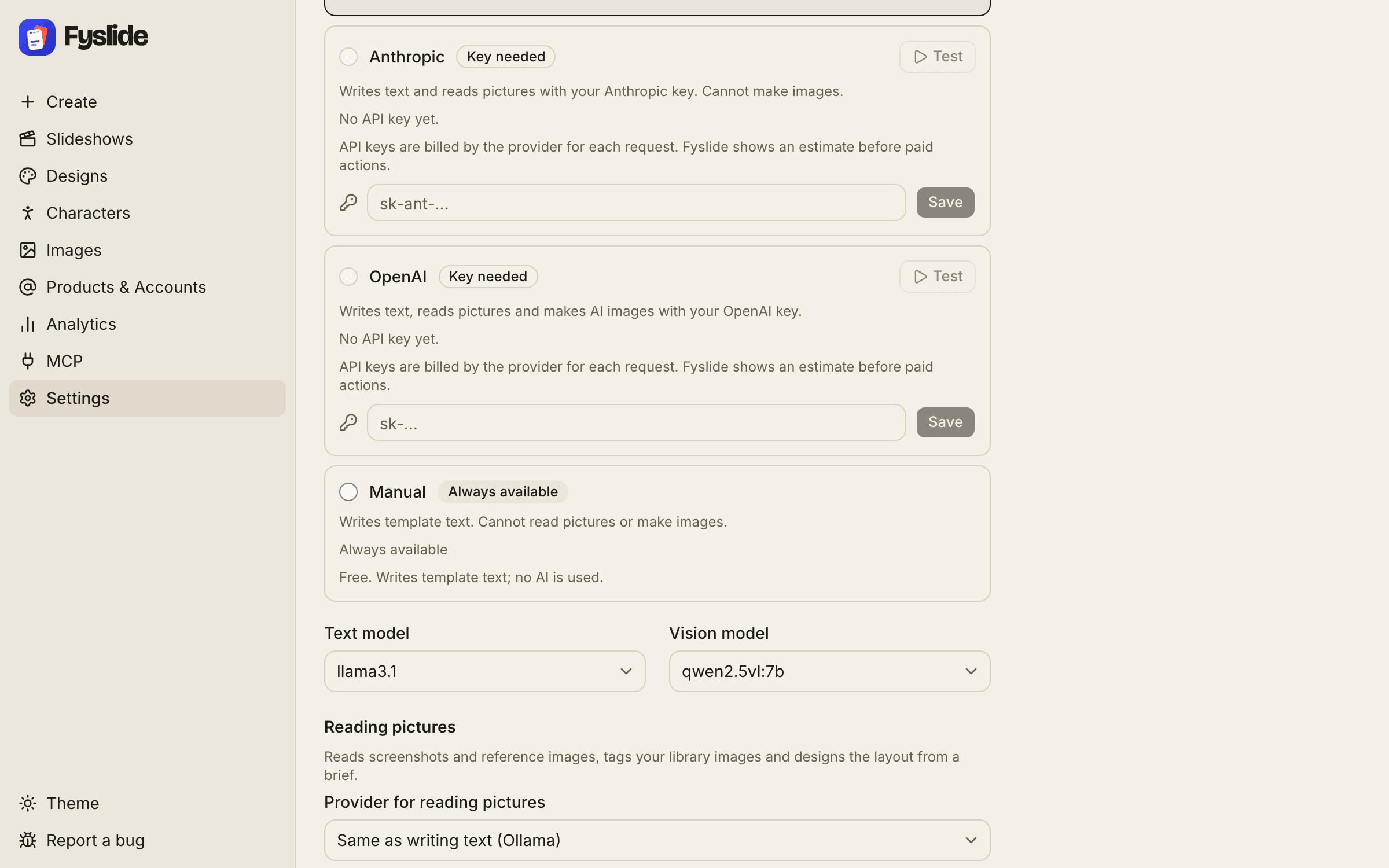
- Open Settings and the AI section.
- The Ollama row should show Ready and a line like “Running · 3 models”. Not running means the Ollama app is closed; start it and switch back to Fyslide.
- Select the Ollama radio button.
- Below the list, choose the Text model and the Vision model from your installed models. A model that looks like a vision model is offered for the second one.
- Click Test on the row. If the text model answers, you see “Text works in … s”. Reading pictures is checked too; with a text-only model that part fails, which is expected.
- Create something. The first request after a pause can be slow while the model loads.
If Ollama runs on another port or machine, change Ollama URL under Settings → Advanced.
Vision
Only with a vision model such as qwen2.5vl. Writing slide texts works with any model. Turning screenshots into designs (New from screenshots, Create → From screenshots) and tagging images need a model that can read pictures. Fyslide asks Ollama whether the chosen vision model supports images; if not, you get a clear message and nothing is sent.
Cost
Free. It uses your computer’s CPU, GPU and memory, so large models can be slow and warm up your fans. Generating images with AI is not possible with Ollama in Fyslide; it needs an OpenAI API key, which can sit next to Ollama as your text provider.
Troubleshooting
| What you see | What to do |
|---|---|
| Badge “Not running”, or “Ollama is not running. Start the Ollama app, or switch Settings → AI to Manual.” | Open the Ollama app. If it runs on another address, fix Ollama URL in Settings → Advanced. |
“Running, but no models are installed. Run ollama pull llama3.1 in Terminal.” | Pull a model (commands above), then reopen Settings. |
| “The Ollama model “…” is not installed. Run “ollama pull …” in Terminal …” | Run the pull command shown, or choose another model in Settings → AI. |
| “Ollama can’t read images with the model “…”.” | Pick a vision model (for example qwen2.5vl) as Vision model, or choose Claude Code, Codex, Gemini, an Anthropic or OpenAI key for that task. |
| “The model may still be loading – try again in a minute.” | The first call loads the model into memory. Wait a little and try again; a smaller model is faster. |
| “Ollama returned an error … Restart the Ollama app and try again.” | Quit and reopen Ollama. Check that you have enough free memory for the model. |
Ollama is a trademark of its owner. Fyslide is not affiliated with or endorsed by Ollama.
Logos are shown only to identify the services you can connect to Fyslide.