Docs
AI setup
Fyslide doesn't include or resell an AI. You connect your own, and the requests go straight from your computer to that provider, or stay on your computer with Ollama. Nothing runs on Fyslide's servers.
At a glance
| Provider | Connects as | Vision (screenshots) | Who you pay |
|---|---|---|---|
| Claude Code CLI | CLI, signed in | Yes | Your Claude subscription / account |
| Codex CLI | CLI, signed in | Yes | Your ChatGPT subscription / OpenAI account |
| Gemini CLI | CLI, signed in | Yes | Your Google Code Assist licence or paid key |
| Ollama | Local server on your computer | Only with a vision model (e.g. qwen2.5vl) | Free, runs locally |
| Anthropic API | API key | Yes | Billed by Anthropic per use |
| OpenAI API | API key | Yes | Billed by OpenAI per use |
What needs vision? Writing slide texts works with any provider. Turning screenshots into a design needs a provider that can read images. Text-only Ollama models cannot.
Cost: Fyslide charges nothing for AI. API keys are billed by the provider per use. The CLIs use your existing subscription or account with that provider. Ollama is free. AI image generation (character poses, scenes, mockups) is separate and needs an OpenAI API key whichever text provider you chose.
Each provider has a step-by-step guide: install, sign in, the Fyslide settings, vision, cost and troubleshooting. Click its name in the table.
Where to set it up
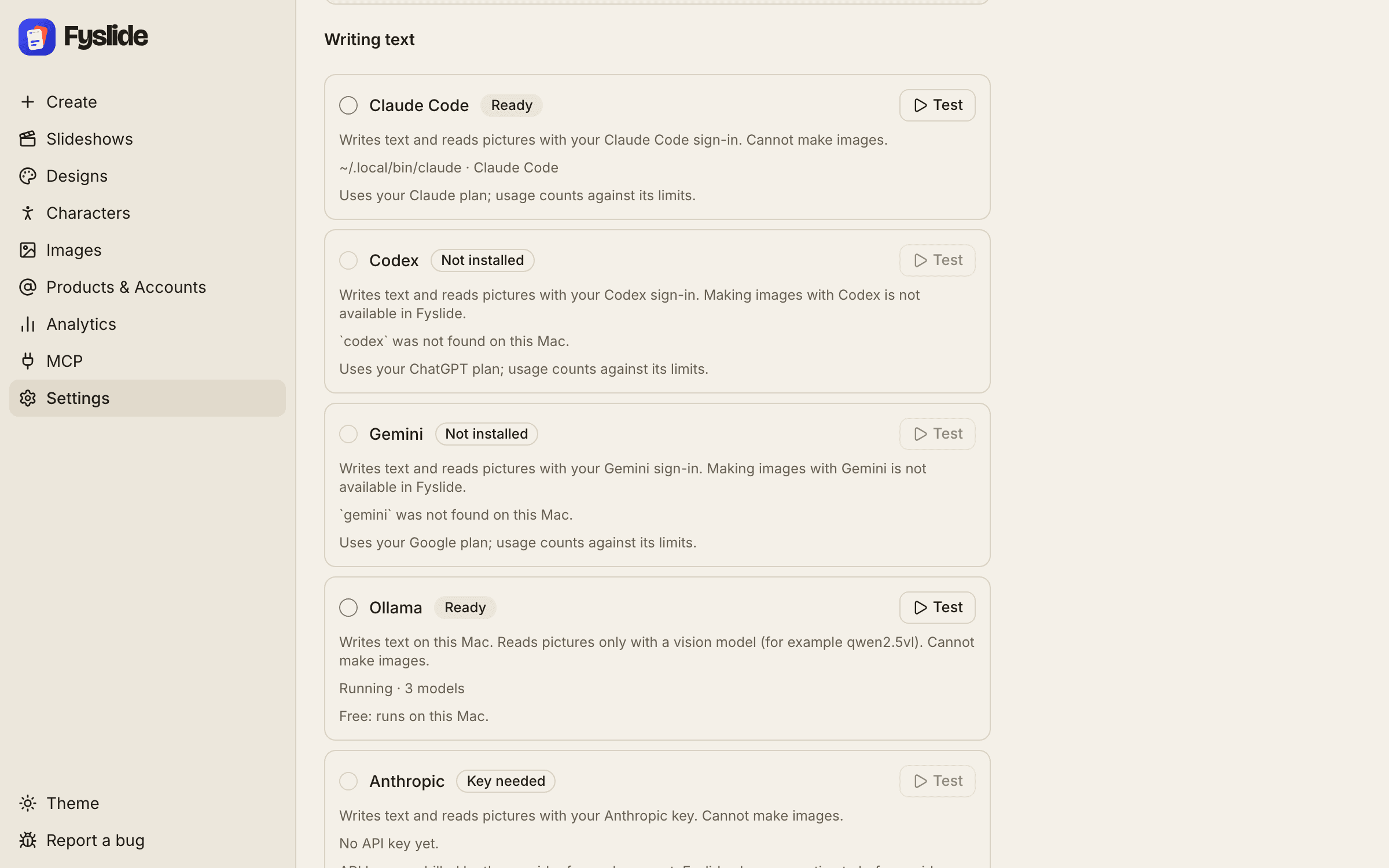
Open Settings in Fyslide and choose your provider. Settings shows whether Fyslide can find and use it.
Claude Code CLI
Install: install Claude Code from Anthropic (see Anthropic’s Claude Code docs), for example:
npm install -g @anthropic-ai/claude-code
claude   # sign in once
Detection: Fyslide looks for the claude command in your PATH and the common install folders (such as Homebrew and ~/.local/bin). Vision: yes. Cost: uses your Claude plan or account.
Codex CLI
Install: install OpenAI’s Codex CLI, for example:
npm install -g @openai/codex
codex login
Detection: Fyslide looks for the codex command the same way. Vision: yes. Cost: uses your ChatGPT plan or OpenAI account.
Gemini CLI
Install: install Google’s Gemini CLI, for example:
npm install -g @google/gemini-cli
gemini   # sign in once
Detection: Fyslide looks for the gemini command. Vision: yes. Cost: uses your Google licence or key and its limits.
Note: since 18 June 2026 Google offers Gemini CLI to organizations with Gemini Code Assist Standard or Enterprise (and legacy paid API or Vertex keys). Free and Google AI Pro / Ultra accounts moved to Google’s Antigravity CLI, which Fyslide does not use. Gemini CLI guide.
Ollama (free, local)
Install: download Ollama from ollama.com and start it. Then pull a model:
ollama pull qwen2.5vl # vision-capable modelDetection: Fyslide connects to the Ollama server at http://127.0.0.1:11434 (the default) and lists the models you have installed; pick one in Settings. Vision: only with a vision model such as qwen2.5vl. Cost: free; everything runs on your computer, so speed depends on your hardware.
Anthropic API key
Get a key in the Anthropic Console and paste it into Settings. Storage: the key is stored encrypted on your computer and is sent only to Anthropic. Vision: yes. Cost: Anthropic bills you per use.
OpenAI API key
Get a key on the OpenAI platform and paste it into Settings. Storage: encrypted on your computer, sent only to OpenAI. Vision: yes. Cost: OpenAI bills you per use.
Privacy
The texts, topics and (for vision) screenshots you send go directly from your computer to the provider you chose, under that provider’s terms and privacy policy. They are third parties chosen by you; Fyslide is not affiliated with them. With Ollama nothing leaves your computer. See our privacy policy.
Claude and Anthropic are trademarks of Anthropic, PBC. OpenAI, ChatGPT and Codex are trademarks of OpenAI. Gemini and Google are trademarks of Google LLC. Ollama is a trademark of its owner. Fyslide is not affiliated with or endorsed by them.
Logos are shown only to identify the services you can connect to Fyslide.
Prefer a walkthrough with MCP? See Claude Code, Codex and Gemini CLI.