







Fyslide

Desktop app · TikTok & Instagram

Topic in. Carousel out.

Fyslide makes TikTok photo slideshows and Instagram carousels on your computer. Pick a design, type a topic, and your own AI writes the slides. Polish them, export pixel-perfect images. Everything stays on your computer.

Free download · License required to run · 1 license = 1 computer · Mac (Apple Silicon & Intel) · Windows (Beta)

In the last 60 days, with just 1 user: 1k+ slideposts, 1M+ views, 50k+ likes

Founder's own account · entered by hand · last 60 days

Fyslide on macOS
Fyslide on macOS

Made with Fyslide

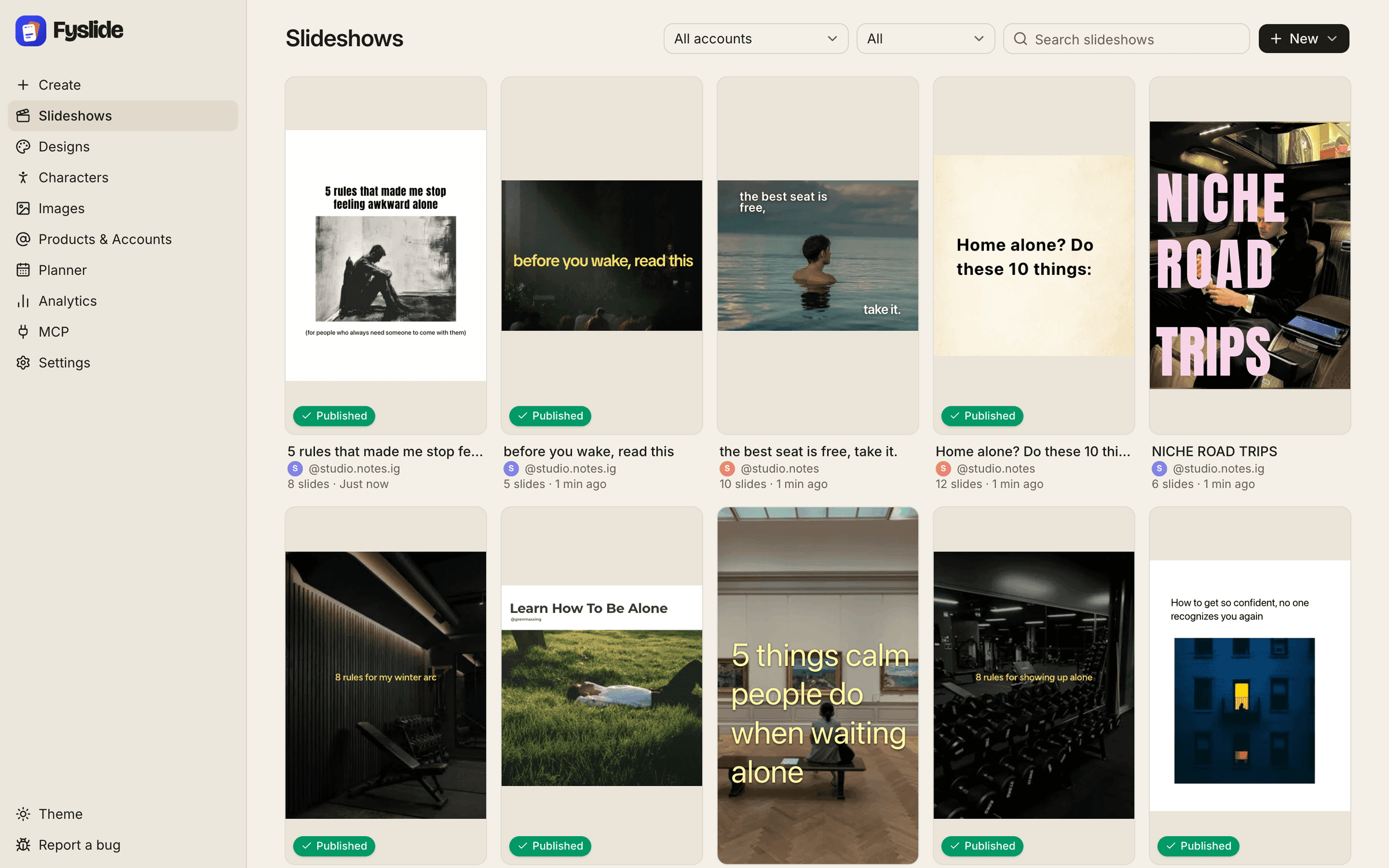
Real first slides, exported by the app.

Ten slideposts as Fyslide exports them. The photos and art inside are third-party; the layout and text are Fyslide.

  • Cover slide: Learn how to be alone, a man lying in sunlit grass
  • Cover slide: Niche road trips, a man in a velvet jacket on the back seat of a car
  • Cover slide: Home alone? Do these 10 things, black text on cream paper
  • Cover slide: 5 things calm people do when waiting alone, a woman sitting on a bench in a museum
  • Cover slide: 8 rules for my winter arc, over a dark gym with a bench and dumbbells
  • Cover slide: 5 rules that made me stop feeling awkward alone, a charcoal drawing of a man sitting on the floor
  • Cover slide: the best seat is free, take it, a man standing in calm water at dusk
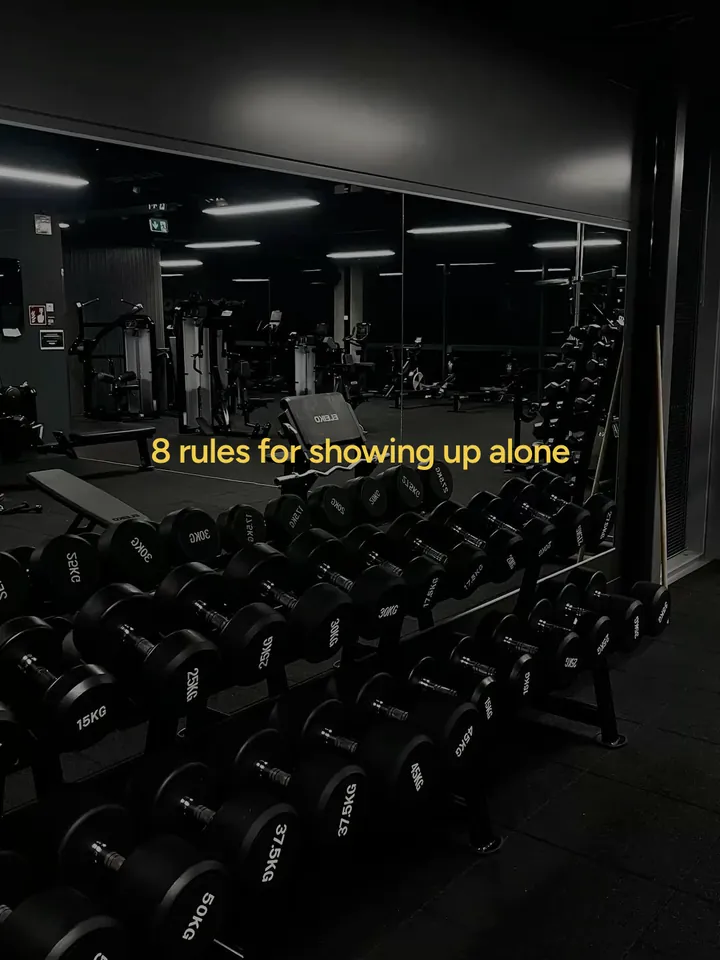
  • Cover slide: 8 rules for showing up alone, over a dark gym with a rack of dumbbells
  • Cover slide: before you wake, read this, over a dark hall with seated people
  • Cover slide: how to get so confident no one recognizes you again, a lit window in a dark blue brick building

How it works

Three steps from idea to upload-ready slides.

  1. 01

    Pick a design

    Start from a built-in design or one you made. A design sets the layout, fonts, colors and image areas of every slide.

  2. 02

    Give it a topic

    Type one line. The AI you connected writes the hook and the slide texts into the design.

  3. 03

    Polish & export

    Tweak text, images, stickers and shapes. Export PNG or JPG slides, the caption and a zip to any folder.

Want the details? Follow the guide Turn a topic into a 6-slide carousel in 1 minute.

Features

Built for people who post slideshows every week.

Editor

Every slide, fully editable.

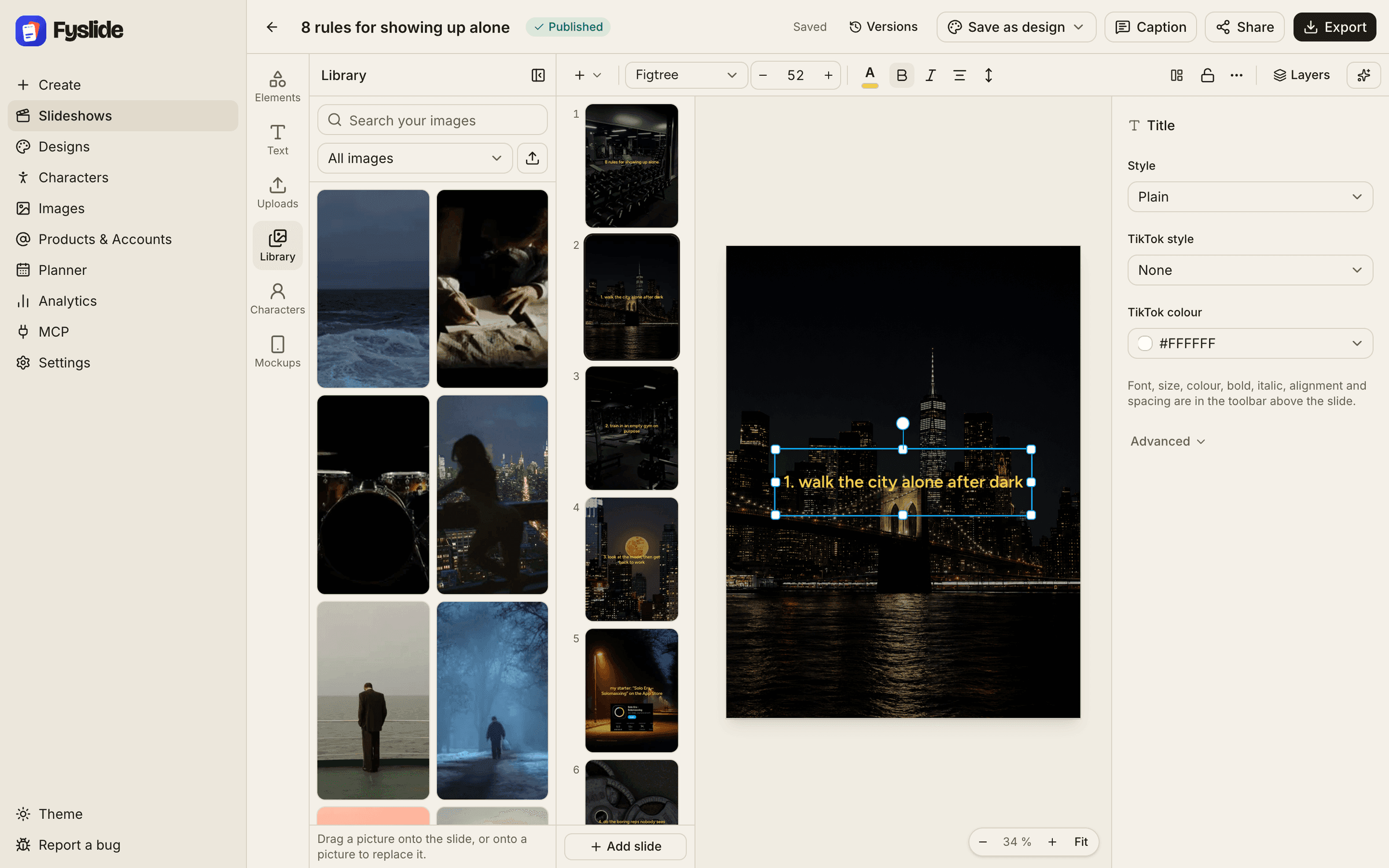
The AI gives you a first draft; the editor gives you control. Move and restyle text, swap images, add stickers and shapes, slide by slide.

  • Text, image, sticker and shape elements
  • Recurring characters across your posts
  • What you see is what you export
The Fyslide slide editor

Designs

Your format, reusable forever.

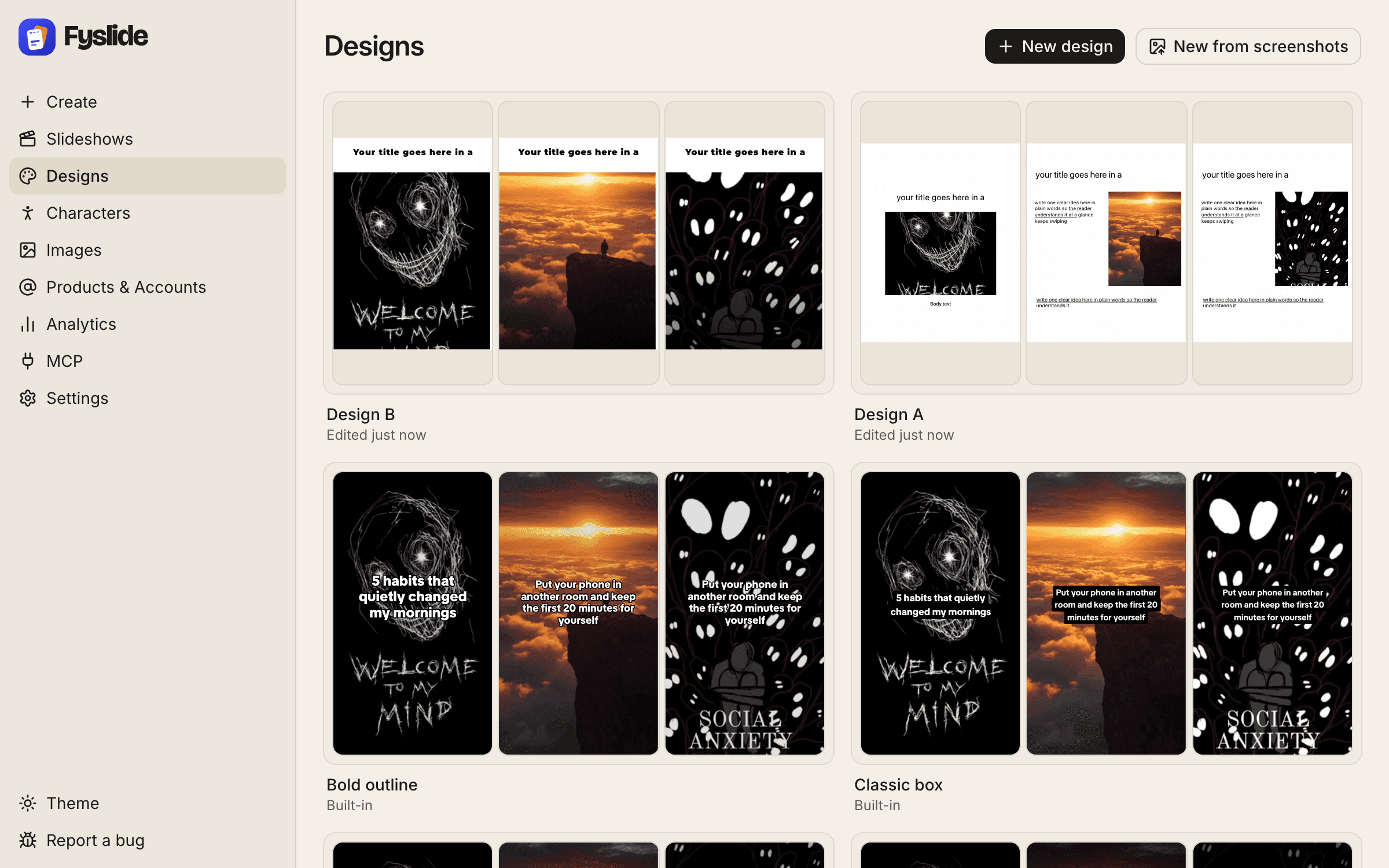
Use the built-in designs or make your own. Found a format that works? Turn screenshots of it into an editable design with a vision-capable AI.

  • Built-in designs to start with
  • Make your own from scratch
  • Screenshots → reusable design
Designs: built-in and your own

Image library

All your images, one library.

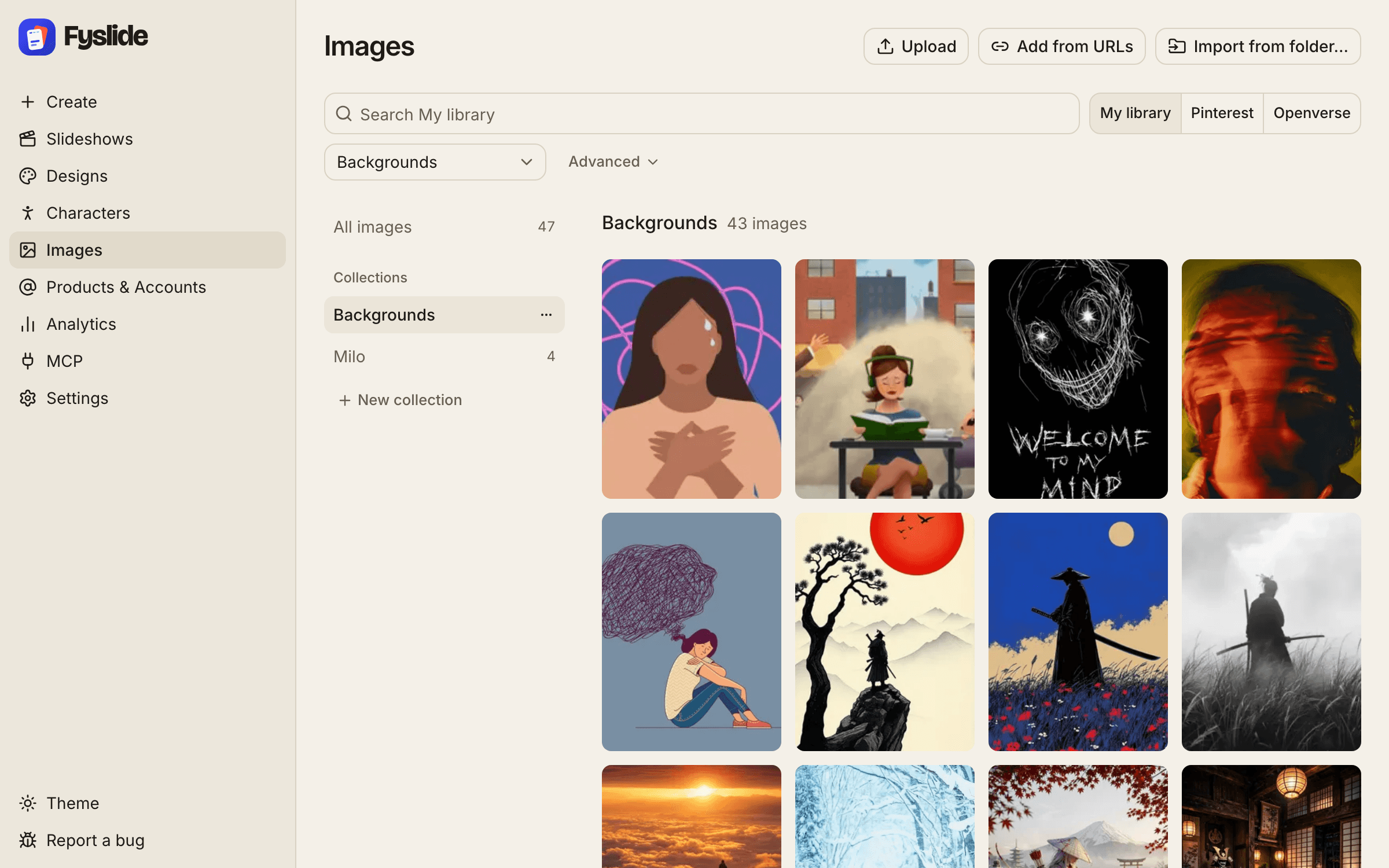
Import folders, drag and drop, or paste from the clipboard. Organize in collections, cut out subjects with local background removal (Apple Vision).

  • Collections, folder import, drag & drop, paste
  • Openverse search for Creative Commons images
  • Optional Pinterest search in your own login
The image library with collections

Planner

Plan your posts on a calendar, per account.

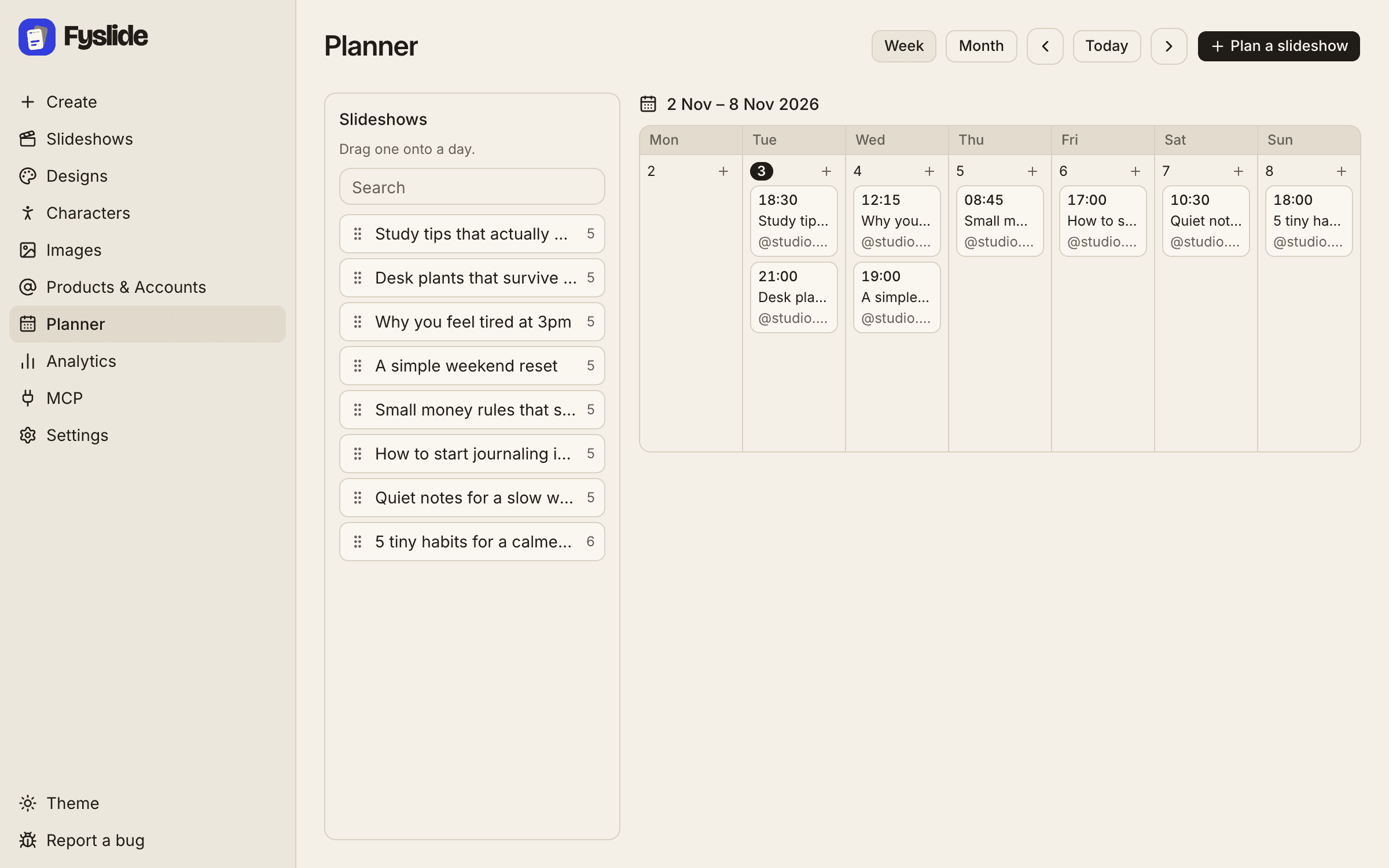
Put finished slideshows on a day and a time, for the account they belong to. Drag to move, mark as posted, see what is next at a glance.

  • Week and month view
  • Drag a slideshow onto a day
  • Plan per account
The Planner calendar

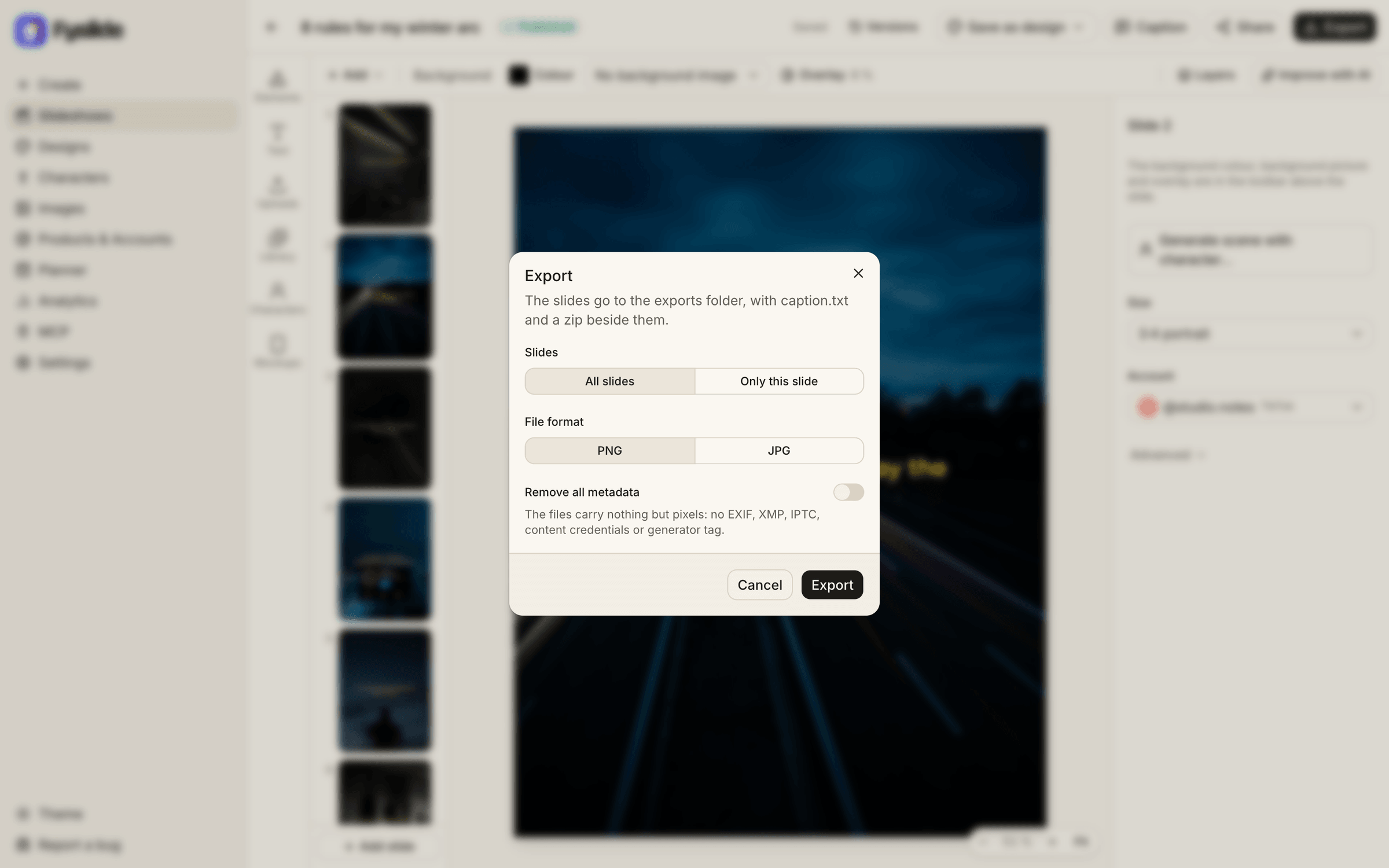
Export

Pixel-perfect, straight to a folder.

Slides are rendered with Google Chrome on your computer and exported as PNG or JPG together with the caption and a zip, into the folder you choose.

  • PNG or JPG
  • Caption included
  • Zip for easy transfer
Exporting a slideshow

On the way

  • Coming soon

    Post to TikTok

    Post to TikTok from any number of your accounts, now or at a planned time.

  • Coming soon

    Post to Instagram

    Send carousels to Instagram from the app.

  • Coming soon

    Analytics

    See the views, likes and comments of your posts in the app.

Not available yet and not part of what you buy today.

Local first

Everything stays on your computer.

Fyslide is a desktop app, not a web service. Your library, designs and slideshows live in a folder on your computer. AI requests go straight from your computer to the provider you picked, or never leave it with Ollama.

~/Library/Application Support/

Fyslide/

library · designs · slideshows

# sent to our server:

license check, plus anonymous usage totals (can be turned off)

Bring your own AI

Use the AI you already pay for. Or a free one.

Fyslide doesn’t resell AI. Connect a CLI you’re logged into, an API key (stored encrypted on your computer) or Ollama running locally. Nothing runs on Fyslide’s servers.

Vision is needed to turn screenshots into designs. AI setup overview →

Claude and Anthropic are trademarks of Anthropic, PBC. OpenAI, ChatGPT and Codex are trademarks of OpenAI. Gemini and Google are trademarks of Google LLC. Ollama is a trademark of its owner. Fyslide is not affiliated with or endorsed by them.

Logos are shown only to identify the services you can connect to Fyslide.

Local MCP server

Let your agent make the slideshows.

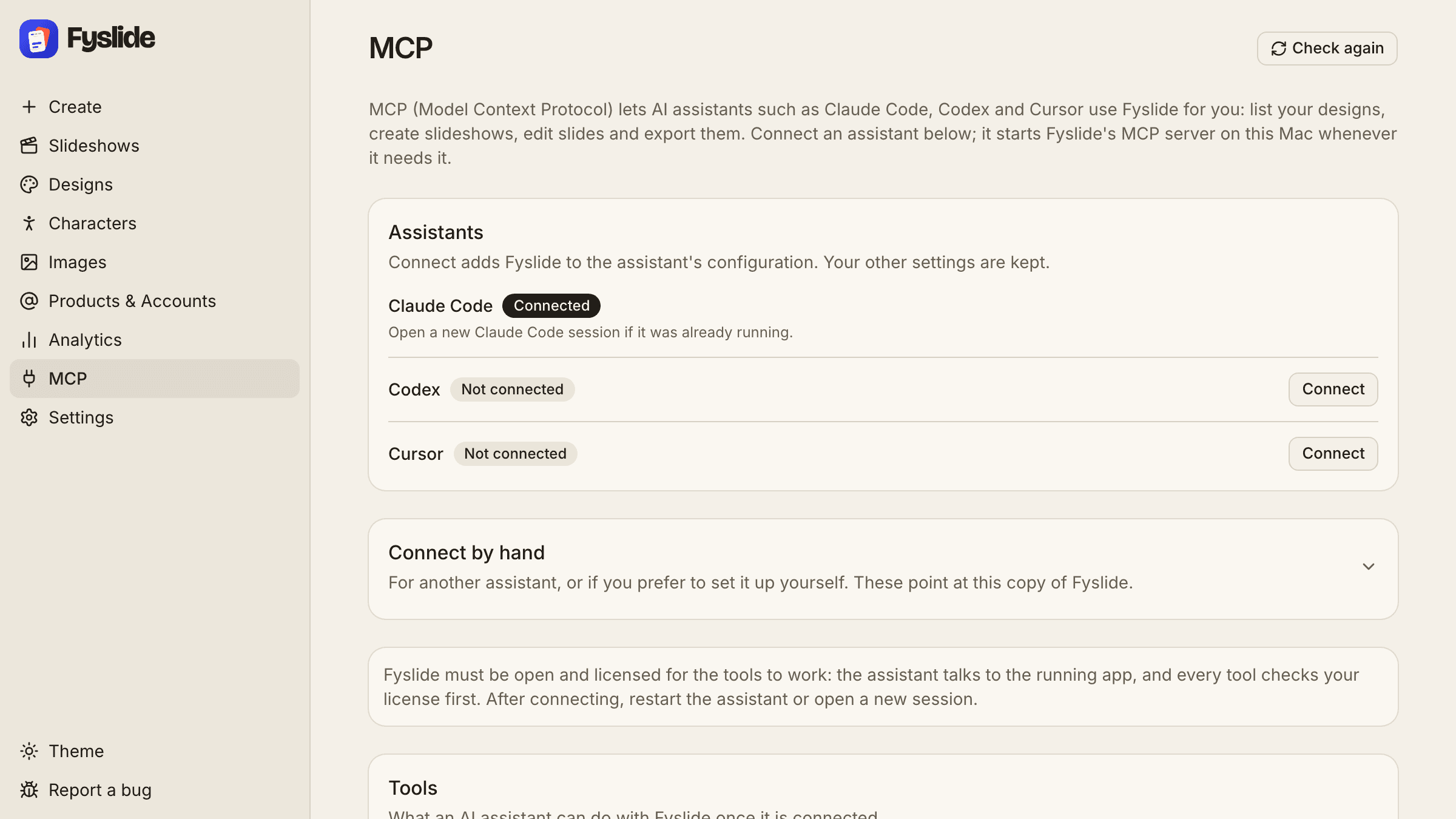
Connect Claude Code, Codex or Cursor in one click. Your agent can list designs, create slideshows, edit texts, replace images and export, while you watch it happen in Fyslide.

  • list_designs
  • list_collections
  • list_slideshows
  • get_slideshow
  • search_library
  • get_job
  • wait_for_job
  • list_planned_posts
  • create_slideshow
  • rebuild_from_screenshots
  • design_from_screenshots
  • import_images
  • export_slideshow
  • generate
  • update_slide_text
  • update_slide_element
  • replace_slide_image
  • confirm
  • plan_post
  • move_planned_post
  • remove_planned_post

› claude

List my Fyslide designs and make a 6-slide slideshow about “3 stretches for desk workers” with photos from ~/Pictures/stretches.

⏺ Fyslide · list

⏺ Fyslide · create_slideshow

Example prompt. Results depend on your AI and designs.

Fyslide's MCP page with one-click connect

Pricing

Pay once. Keep it.

One Lifetime License for one computer (Mac, or the Windows Beta). No subscription. The price steps up as licenses sell, and never changes for people who already bought.

  • Free download, license required to run
  • 1 license = 1 computer, move it up to 3× per 12 months
  • Works offline after activation
  • All sales final, no refunds

Fyslide Lifetime License

Price by license number. One license is one computer, USD, one-time.

Loading current price…

  1. Licenses 1 to 20: $49
  2. Licenses 21 to 40: $74
  3. Licenses 41 to 60: $99
  4. Licenses 61 to 80: $124
  5. Licenses 81 and up: $149

Guides

Learn the Fyslide workflow.

One step-by-step guide for every part of the app, from your first topic to the exported slides.

All guides

FAQ

Questions, answered.

More in the full FAQ and the docs.

What is Fyslide?

Fyslide is a desktop app (macOS, plus a Windows Beta) for making photo slideshows for TikTok and carousels for Instagram. You pick a design, give it a topic, and the AI you connect writes the slide texts. You refine everything in the editor (text, images, stickers, shapes) and export pixel-perfect PNG or JPG slides plus a caption.

Does it run in the cloud?

No. Fyslide runs 100% locally on your computer. Your library, designs and slideshows are stored in ~/Library/Application Support/Fyslide on a Mac (%APPDATA%\Fyslide on Windows). The only thing the app sends to us is the license check (see Privacy).

Your AI requests go directly from your computer to the provider you chose, or stay on your computer with Ollama. Nothing runs on Fyslide's servers.

Privacy policy →

What do I need to run it?

A Mac running macOS (there are separate builds for Apple Silicon and Intel) and Google Chrome installed. Fyslide uses Chrome to render and export your slides. A Windows 10 or 11 (64-bit) Beta is also available; see the download page.

Download & system requirements →

Which AI can I use?

Bring your own: Claude Code CLI, Codex CLI, Gemini CLI, Ollama (free, runs locally), an Anthropic API key or an OpenAI API key. API keys are stored encrypted on your computer.

AI setup →

What does the AI cost?

Fyslide does not charge for AI. With an API key, the provider bills you per use. The CLIs (Claude Code, Codex, Gemini) use your existing subscription or account with that provider. Ollama is free and runs on your computer.

Can Claude Code or Cursor control Fyslide?

Yes. Fyslide includes a local MCP server. Connect Claude Code, Codex or Cursor in one click from the app, then let your agent list designs, create slideshows, edit texts, replace images and export. The app must be running and licensed.

MCP docs →

Is the download free?

Yes. Anyone can download the app; it asks for your license key when you first open it. There is no trial mode, so please read the docs and ask us anything before you buy.

How does the license work?

One Lifetime License is a one-time payment for one computer, Mac or Windows. You activate it in the app. To move it to another computer, deactivate the old one in the license portal; you can do that up to 3 times per 12 months. After activation Fyslide works offline.

License docs →

Can I get a refund?

No. All sales are final, except by court order or in special cases at the owner's discretion, and except where mandatory law provides otherwise. Your license key is delivered digitally right after payment; at checkout you agree to immediate delivery and acknowledge that you lose the right of withdrawal. Statutory rights that cannot be waived remain unaffected.

Refund policy →

Community totals · last 60 days

  • 1 user
  • 1k slideposts
  • 1M views
  • 50k likes

Founder's own account · entered by hand · last 60 days. What is counted

Your next carousel is one topic away.

Download Fyslide for free, get a license when you’re ready, and keep everything on your computer.